Marketplace presets: photos that fit Amazon, eBay, Etsy, Shopify, Zalando and Instagram
Every marketplace wants a different canvas, a white background and a product that fills the frame. Pick a preset and LassoCut cuts the subject out, resizes the canvas, centres the product, puts it on white and checks the result against the rules it knows, in the same call.
The six presets
Each preset sets the canvas, the white background, how much of the canvas the product fills (its longest side, as a share of the matching canvas side) and the file format. Rules as published on 19 October 2026.
| Preset | Canvas | Background | Product fills | Format and size | Shadow |
|---|---|---|---|---|---|
amazon | 2000 × 2000 px | Pure white | 85% | JPG, up to 10 MB | Allowed |
ebay | 1600 × 1600 px | White | 80% | JPG, up to 12 MB | Allowed |
etsy | 2700 × 2025 px (4:3) | White | 75%, centred for the thumbnail | JPG, up to 20 MB | Allowed |
shopify | 2048 × 2048 px | White | 80% | JPG, up to 20 MB | Allowed |
zalando | 1801 × 2600 px (1:1.44) | White | 85% | JPG (sRGB), up to 20 MB | Not allowed |
instagram | 1080 × 1350 px (4:5) | White | 75% | JPG, up to 8 MB | Allowed |
Where the marketplace publishes its rules, they come from its own pages: the Shopify help centre, the eBay picture policy, Zalando's partner pages and Google Merchant Center's image guidelines. Amazon (Seller Central), Etsy and Instagram keep theirs behind a sign-in. Four values are cautious defaults that we have not yet been able to confirm on the official page: Amazon's fill and file size, Etsy's file size and Zalando's background. We will update them as soon as we do. The live values are always available from GET /v1.0/presets.
A real example
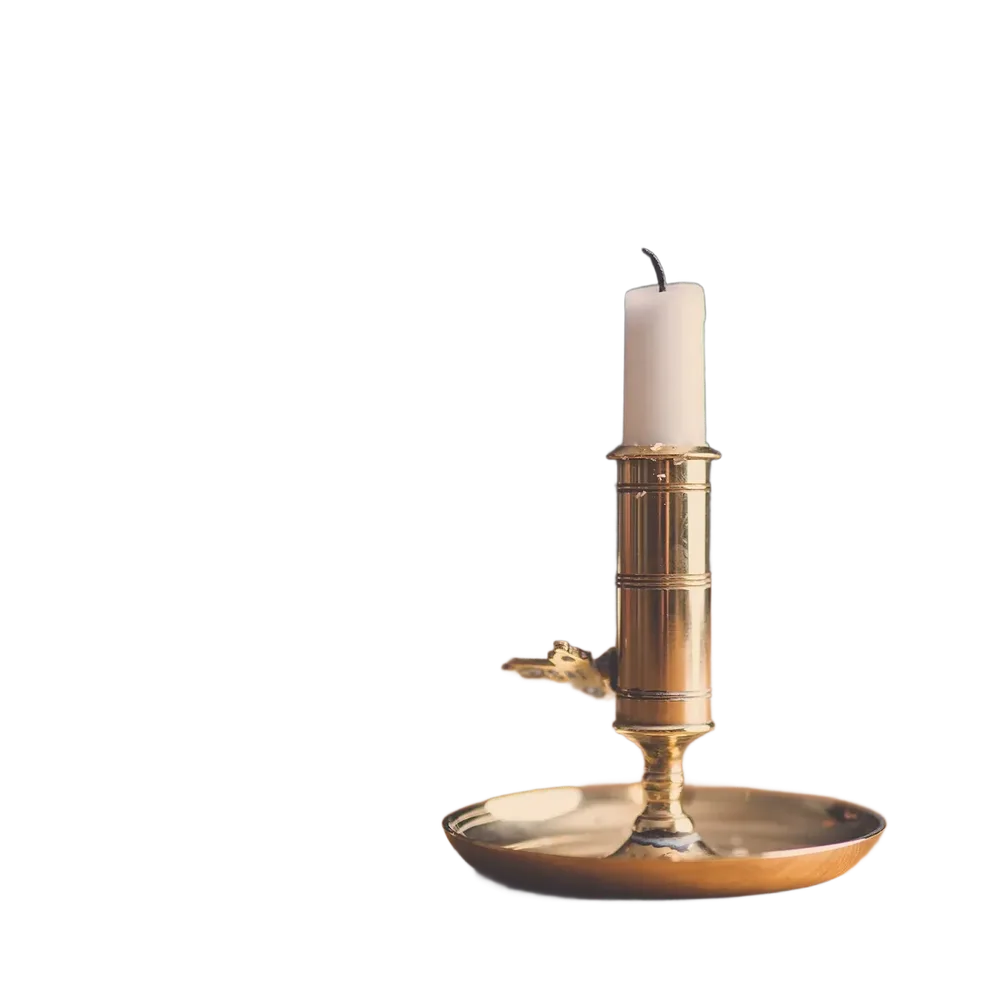
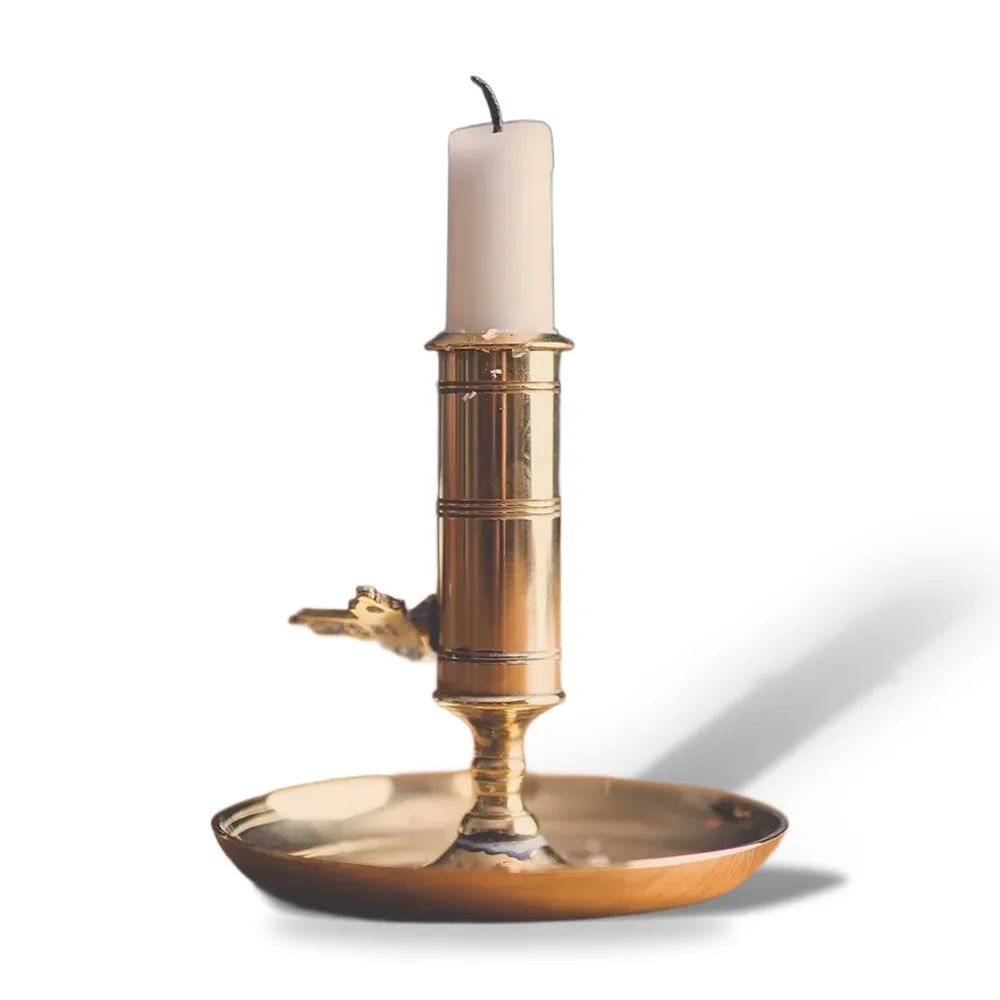
preset=amazon with shadow_type=cast.Photos: Unsplash. Cut out and framed by LassoCut. Drag the slider to compare.
Cast shadow
A product on pure white can look as if it floats. shadow_type=cast projects the product's silhouette on the ground, sharp near its base and softer further away, with a small contact shadow underneath. Three settings control it:
shadow_angle: where the light comes from, from -90 to 90 (default 45). Positive means the light is on the left, so the shadow falls to the right.shadow_length:short,medium(default) orlong.shadow_opacity: 0 to 100.
A long shadow needs room. With a cast shadow, eBay, Etsy, Shopify and Instagram leave more space around the product (it fills 70% on eBay and Shopify, 65% on Etsy and Instagram) and move it slightly away from the shadow, so the shadow stays clearly visible and fades out before the edge. Amazon keeps its 85% rule: the shadow is shorter there.
The cast shadow also works without a preset, and shadow_type=3D now draws it. The Zalando preset does not allow a shadow, so choosing one there makes the result non-compliant.
The compliance check
With a preset, the response says whether the result meets the rules LassoCut checks: background, fill, ratio, size, format, file size and shadow. The API returns it in the X-Compliance header (ok, or fail; reasons=…), the web tool shows it as a badge, and the batch tool tells you how many images are not compliant. Overriding the preset with your own format or bg_color makes the result non-compliant, and the framing options (crop, crop_margin, scale, position) are ignored, as X-Preset-Ignored tells you.
Compliant means compliant with the image rules LassoCut checks: a marketplace can still refuse a photo for other reasons (text, props, watermarks).
If a small photo has to be enlarged to fill the canvas, the response carries X-Upscaled: true: use a larger source for a sharper result.
Where it is available
Today:
- The web tool: choose a marketplace on the home page after the cut-out.
- The batch tool: apply a preset and a shadow to a whole folder in the batch tool.
- The Shopify app: in Products › More actions › Remove background with LassoCut, pick Ready for (Shopify by default, or None to keep the original framing) and an optional cast shadow.
- The WordPress plugin (1.2.0): the Ready for and Shadow settings in Settings › LassoCut apply to the Media Library and WooCommerce bulk actions.
- The API: the
presetfield onPOST /v1.0/removebg, plusPOST /v1.0/composeto frame a cut-out you already have, free of charge (API reference).
The other plugins (n8n, Zapier, Make, the command line, MCP, GIMP, Photoshop and Figma) are coming in November 2026.
curl --fail-with-body -H "X-Api-Key: $LASSOCUT_API_KEY" \
     -F "image_file=@product.jpg" \
     -F "preset=amazon" \
     -F "shadow_type=cast" -F "shadow_angle=45" \
     -D headers.txt -o amazon.jpg \
     https://api.lassocut.com/v1.0/removebg
Try it on your own photo
Drop an image on the home page to see the cut-out, then create an account for 50 free previews a month (up to 10 a day).
See also: marketplaces · Shopify · backgrounds · crop and framing · presets in the API · pricing.