LassoCut backgrounds: transparent, a solid colour or your own image
Removing the background is half the job; the other half is what goes behind the subject. LassoCut returns a transparent cut-out by default, or composes it for you on a colour or an image in the same call, with an optional drop shadow.
What it does
| Background | API field | Notes |
|---|---|---|
| Transparent (default) | none | Kept in PNG, WebP and ZIP. JPG has no transparency, so a JPG result is put on white. |
| A solid colour | bg_color | Hex (ffffff), hex with alpha (81d4fa77) or a colour name (red) |
| An image from a URL | bg_image_url | A public URL; private and local network addresses are refused |
| An uploaded image | bg_image_file | JPG, PNG or WebP, up to 22 MB |
Use one background source at most: sending two returns the error multiple_bg_sources. A background image is scaled to cover the whole result and centred, so its edges are cropped when its proportions differ from the photo's. It is never stretched.
Other outputs: channels=alpha returns only the mask, and format=zip returns a JPG colour image and a PNG alpha mask to combine in your editor.
Drop shadow
shadow_type=drop draws a soft shadow under the subject, offset downwards by 2% of its height. shadow_opacity sets its strength from 0 to 100 (default 50, or 90 for cars). Both can be set per subject type, such as shadow_type[product]=drop.
Only the drop shadow is drawn today. shadow_type=car and shadow_type=3D are accepted but draw nothing yet, and add_shadow=true (the older remove.bg flag) asks for the car shadow, so it draws nothing either: use shadow_type=drop.
A real example
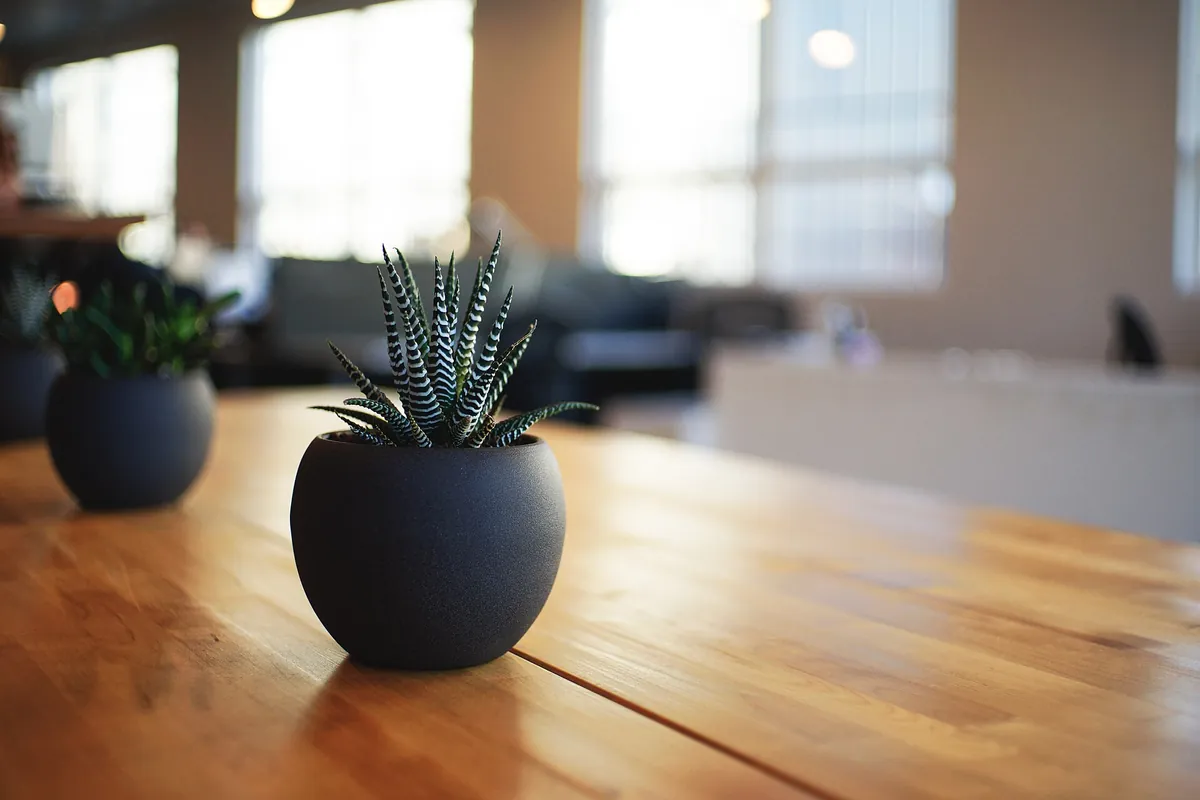
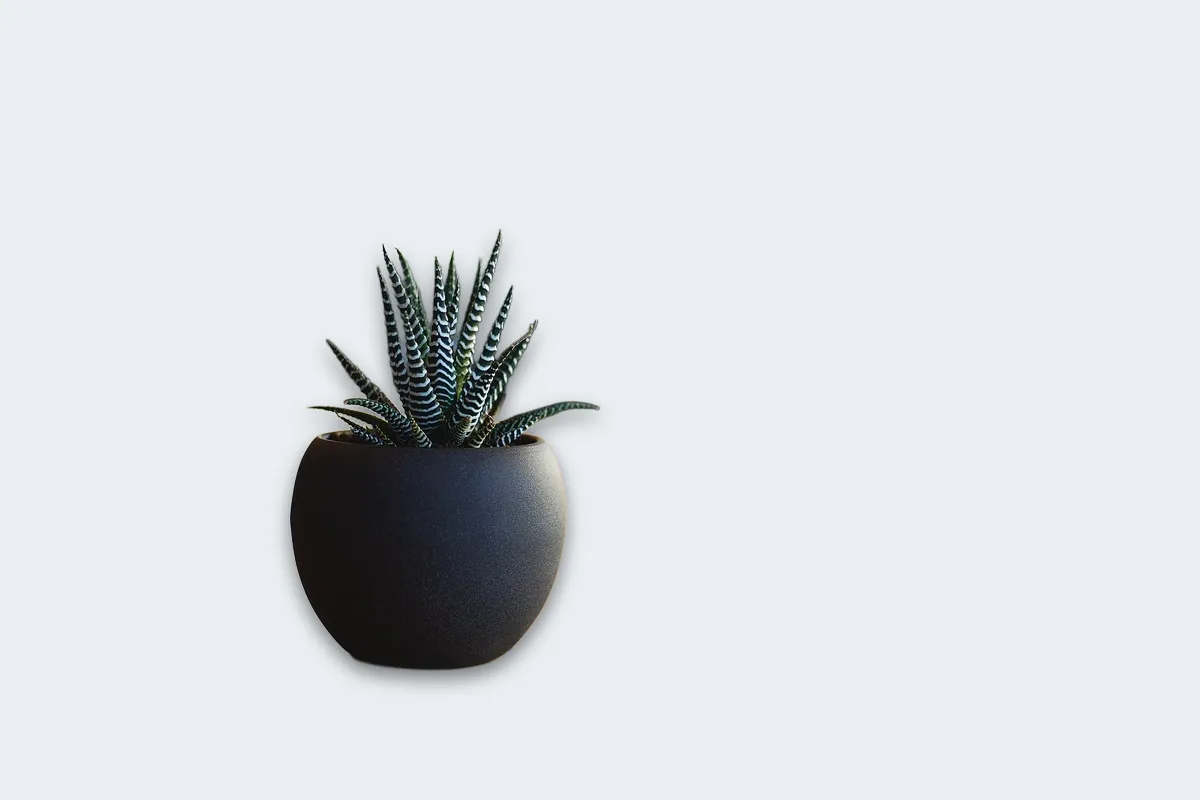
bg_color=e9eef2 and shadow_type=drop, full sizePhoto by Alvin Engler, first published on Unsplash under CC0 (public domain), via Wikimedia Commons; background and shadow added by LassoCut in the same API call. Drag the slider to compare.
How to use it
- Batch tool: the batch tool offers Transparent, White or a colour you pick.
- AI assistants: "make these full size on a white background" with the MCP connector.
- n8n: the LassoCut node has a background colour option (n8n guide).
- Command line:
--bg-colorand--bg-image-file(CLI guide).
A colour and a shadow
curl --fail-with-body -H "X-Api-Key: $LASSOCUT_API_KEY" \
     -F "image_file=@photo.jpg" \
     -F "size=preview" \
     -F "bg_color=e9eef2" \
     -F "shadow_type=drop" \
     -o on-colour.jpg \
     https://api.lassocut.com/v1.0/removebg
Your own background image
curl --fail-with-body -H "X-Api-Key: $LASSOCUT_API_KEY" \
     -F "image_file=@photo.jpg" \
     -F "bg_image_file=@backdrop.jpg" \
     -F "size=preview" \
     -o on-backdrop.jpg \
     https://api.lassocut.com/v1.0/removebg
Both run against the production API on 29 September 2026 with a 1024 × 678 JPG: HTTP 200, image/jpeg, 614 × 406, X-Credits-Charged: 0.25 each. With the default format=auto, a result on an opaque background comes back as JPG; ask for format=png if you need PNG.
Honest limits
- Edges are not recoloured: edge pixels keep their original colours, so a subject shot against a strong colour can show a faint fringe of it on a very different new background. Pick a background close in tone, or retouch the edge.
- Background images are cropped to fill, not fitted: prepare them in the same proportions as your photos to control what shows.
- A colour with alpha (
81d4fa77) stays see-through only in PNG, WebP or ZIP; in JPG it is flattened. - Shadows: only the drop shadow is drawn; car and 3D shadows are not drawn yet.
Try it on your own photo
Drop an image on the home page to see the cut-out, then create an account for 50 free previews a month (up to 10 a day).
See also: marketplaces · designers · automotive and real estate · crop and framing · background fields · shadows · pricing.