LassoCut HD cut-outs: your photo's full resolution, up to 50 megapixels
A preview is enough to check a cut-out. For print, a zoomable product page or a retouch, ask for the full size: LassoCut returns the cut-out at your photo's own resolution, up to 25 MP, or up to 50 MP with size=50MP.
What it does
size | Largest output | Cost |
|---|---|---|
preview (default) | 0.25 MP | 0.25 credit |
full | 25 MP | 1 credit |
50MP | 50 MP | 1 credit |
- A photo smaller than the ceiling comes back at its own size: nothing is enlarged. A larger one is scaled down to the ceiling, keeping its proportions.
size=autopicks full size when your balance allows it, and a preview otherwise.- The older names are accepted for compatibility.
smallandregularmean preview, and4kmeans full.mediumstops at 1.5 MP andhdat 4 MP; both cost 1 credit, likefull, sofullis the better choice.
How the high-resolution pass works
With the default type=auto, a classifier picks the subject type and routes the photo to the best model for that type. For large results, a high-resolution pass takes over to keep edges such as hair and fur. The cut-out is then applied to the pixels of your own photo, at the size you asked for.
The pass is not magic: on very large files, very fine hairs and fur can look slightly softer than the rest of the photo.
A real example
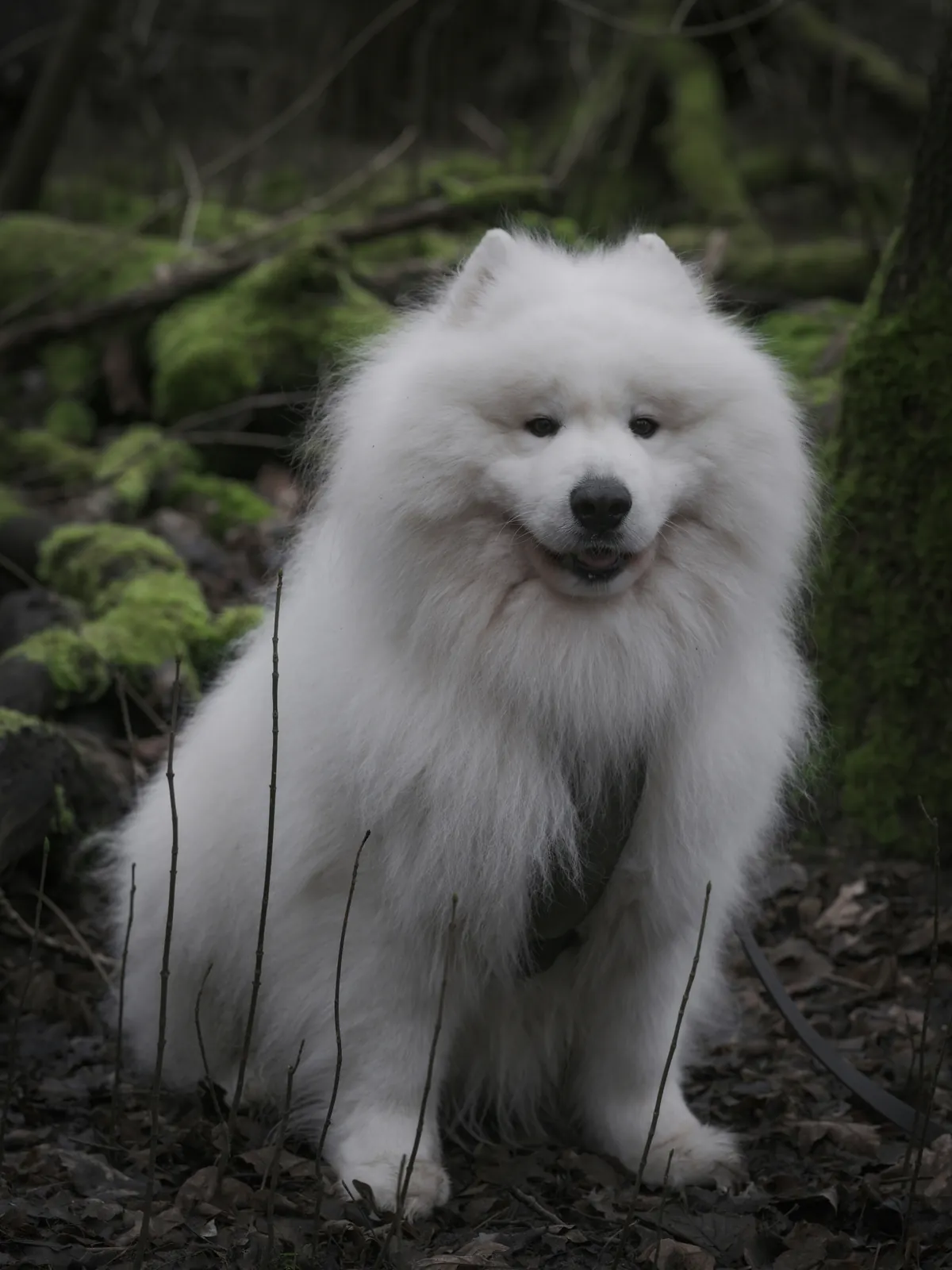
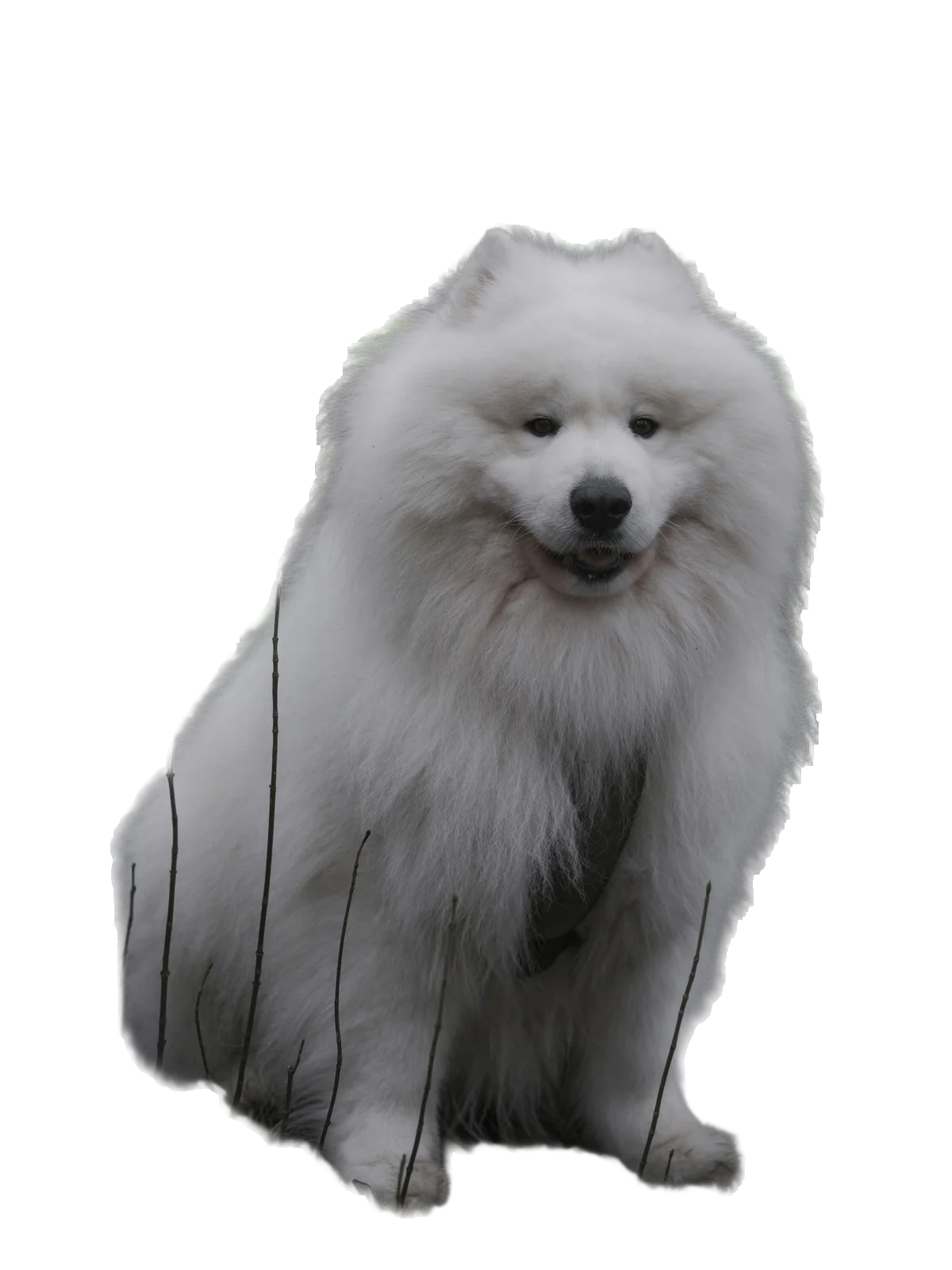
Photo by haberdoedas on Unsplash (Unsplash License); cut out by LassoCut through the API at full size and shown here as WebP. Drag the slider to compare.
How to use it
- On the site: the home page shows a free preview. For full-size files, sign in and use the batch tool with Full size, up to 25 MP; it works for one photo as well as a folder.
- Command line:
lassocut --size full photo.jpg, or--size 50MP; the CLI takes the same values as the API (CLI guide). - AI assistants: ask for "full size"; the MCP connector works in preview unless you do.
- API: send
size=fullorsize=50MP. This call keeps transparency at full size in WebP:
curl --fail-with-body -H "X-Api-Key: $LASSOCUT_API_KEY" \
     -F "image_file=@photo.jpg" \
     -F "size=full" \
     -F "format=webp" \
     -o photo-full.webp \
     https://api.lassocut.com/v1.0/removebg
Run against the production API on 29 September 2026 with a 1024 × 678 JPG: HTTP 200, image/webp, 1024 × 678 with transparency, X-Credits-Charged: 1. The same photo in preview came back at 614 × 406.
Choosing a format for large files
format | Transparency | Size limit |
|---|---|---|
png | Yes | 10 MP: a larger result is scaled down to 10 MP |
webp | Yes | 16,383 px on each side |
jpg | No: on white, or on your bg_color | Up to the size ceiling |
zip | Yes: a JPG colour image and a PNG alpha mask | Up to the size ceiling |
auto (default) | PNG when the result has transparency, JPG otherwise | As above |
For a transparent cut-out above 10 MP, ask for webp or zip. With auto or png, a 25 MP cut-out comes back at 10 MP.
Honest limits
- Input: JPG, PNG or WebP, up to 22 MB and 50 MP. HEIC, TIFF, GIF, BMP, PSD and PDF files are refused with
invalid_file_type: export them to JPG first. - Transparency in the input (a PNG that is already cut out, for example) is flattened on white before processing.
- Fine detail on very large files: very fine hairs can look slightly softer than the rest of the photo. Retouch the edge in Photoshop or GIMP, where the plugins add the cut-out as a layer you can mask.
- Rate limit: 500 megapixel-images per minute per account. A 50 MP image counts as 50, so full-size jobs on very large files run at up to 10 a minute.
- Free previews do not cover full size:
fulland50MPalways use credits. - The first call after a quiet period can take several seconds longer while a GPU starts. Nothing is charged for an error.
What it costs
| Volume | Pack | Price | Per full-size image |
|---|---|---|---|
| 100 images | 100 credits | $9 | $0.09 |
| 1,000 images | 1,000 credits | $39 | $0.039 |
| 10,000 images | 10,000 credits | $249 | $0.0249 |
Prices in US dollars from the pricing page: 1 credit per full-size image, 0.25 credit per preview, 50 free previews a month (up to 10 a day). No subscription, and purchased credits do not expire.
Try it on your own photo
Drop an image on the home page to see the cut-out, then create an account for 50 free previews a month (up to 10 a day).
See also: photographers · automotive and real estate · portraits and hair · API output options · curl guide · pricing.