LassoCut for photographers: portrait cut-outs at session volume
School days, events and studio sessions produce hundreds of similar portraits that each need a new background. LassoCut cuts them out, hair included, from the command line, a browser folder tool or a layer in Photoshop and GIMP.
The problem
Hair is where cut-outs fail: flyaways, curls and strands against a hedge or a patterned wall. Masking them by hand is fine for one hero shot and impossible for a whole school day. Photographers also need print-size files, not web thumbnails, and a workflow that runs on a folder while they edit something else.
The remove.bg desktop app and command-line tool stop working on 1 December 2026: see replacing the desktop app and replacing the CLI.
A real example
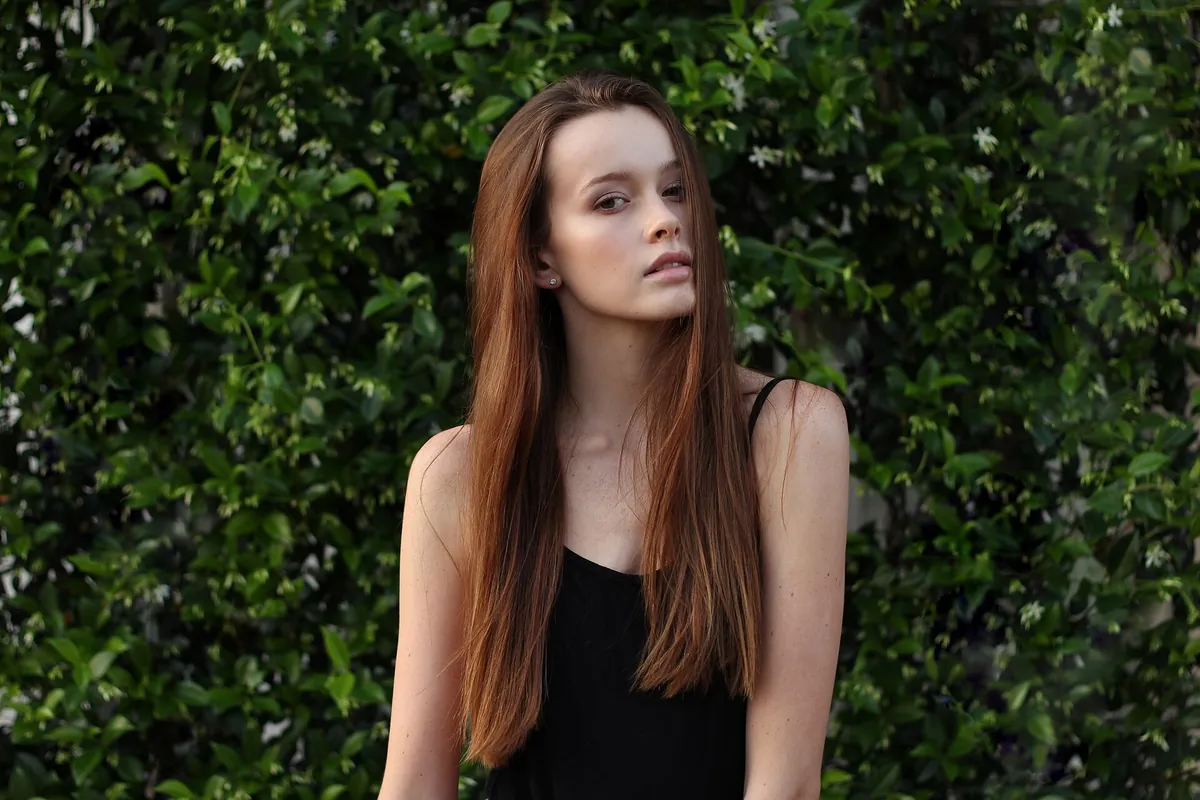
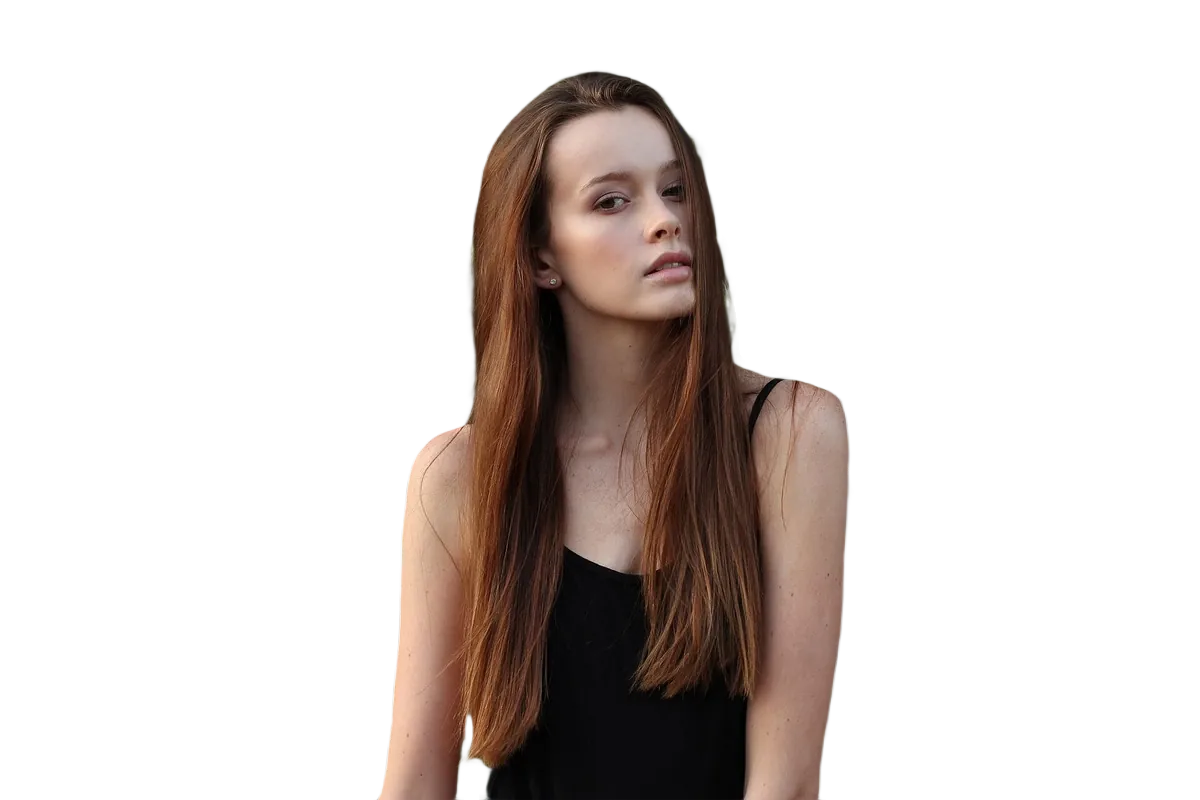
Photo first published on Unsplash under CC0 (public domain), via Wikimedia Commons; cut out by LassoCut through the API. Drag the slider to compare.
The right tool for your workflow
- A whole session from the command line:
npm install -g lassocut-cli, then point it at a folder. It uses the same flags and the same-removebgfile names as the remove.bg CLI, so existing scripts keep working. CLI guide. - A folder without a terminal: the batch tool in the browser takes a folder, subfolders included, and writes the results to a folder (Chrome, Edge) or a ZIP.
- Hero shots you retouch: the Photoshop plugin (pending Adobe's review) and the GIMP 3 plug-in add the cut-out as a new layer and only hide your original layers, so you can refine the edge with a mask.
With the default type=auto, a classifier detects the subject type and routes each photo to the model that does best for it; type=person forces the people path when you already know every photo is a portrait. At full size, a high-resolution pass keeps fine detail such as hair.
Print-size files
size=fullkeeps the original resolution up to 25 MP;size=50MPgoes up to 50 MP. Both cost 1 credit.- PNG output is capped at 10 MP. For larger files, put the portrait on a studio colour with
bg_colorand save as JPG, or ask forformat=zip: a JPG colour image and a PNG alpha mask to combine in your editor. - For a printed backdrop,
bg_image_urlorbg_image_fileputs your own image behind the subject.
What it costs
Full-size portraits, from one session to a full season of school or event work.
| Volume | Pack | Price | Per image |
|---|---|---|---|
| 100 portraits | 100 credits | $9 | $0.09 |
| 1,000 portraits | 1,000 credits | $39 | $0.039 |
| 10,000 portraits | 10,000 credits | $249 | $0.0249 |
Prices in US dollars from the pricing page: 1 credit per full-size image, 0.25 credit per preview, 50 free previews a month (up to 10 a day). No subscription, and purchased credits do not expire.
Questions
How clean are the hair edges?
Portraits go to a model chosen for people, and full-size results get a high-resolution pass for fine detail. Very fine flyaways against a background of the same colour can still need a touch-up; if a photo comes out wrong, send it to POST /improve (free) so the models can learn from it.
Do you keep my clients' photos?
No. Images sent for processing are handled in memory and never written to disk; a result is kept in memory for up to 10 minutes, so that a retry doesn't pay twice, then deleted. Only images you choose to send to /improve are kept. Details in the privacy policy.
Can I output files large enough to print?
Yes, up to 50 MP with size=50MP. Use JPG on a colour background or the ZIP output above 10 MP, since PNG output stops at 10 MP.
Can I run it on a folder with subfolders per class or event?
Yes. The batch tool keeps the same subfolders in its results, and the CLI works on folders the way the remove.bg CLI did.
Try it on your own photo
Drop an image on the home page to see the cut-out, then create an account for 50 free previews a month (up to 10 a day).
See also: CLI guide · batch tool · all platforms · pricing · moving from remove.bg · other use cases.
Related features: portraits and hair · HD cut-outs · batch processing.