LassoCut portraits and hair: a separate path for people
People are the hardest subject to cut out: hair, skin against a similar wall, a hand in front of a patterned shirt. LassoCut sends photos of people down their own path, with a separate model for headshots, and keeps the soft edge of hair instead of a hard outline.
What it does
- The subject type is detected. With the default
type=auto, a classifier picks the subject type and routes the photo to the best model for that type. Sendtype=personto skip that step when every photo is of people. - Headshots are told apart. When a face fills a large part of the frame, the photo goes to a model chosen for portraits; other photos of people, full-body shots and groups included, stay with the model for people. Both are reported as
X-Type: person. - The edge stays soft. The mask is not just on or off: hair and other soft edges get partly transparent pixels, so the cut-out blends onto a new background. At full size, results go through the high-resolution pass (see HD cut-outs).
A real example
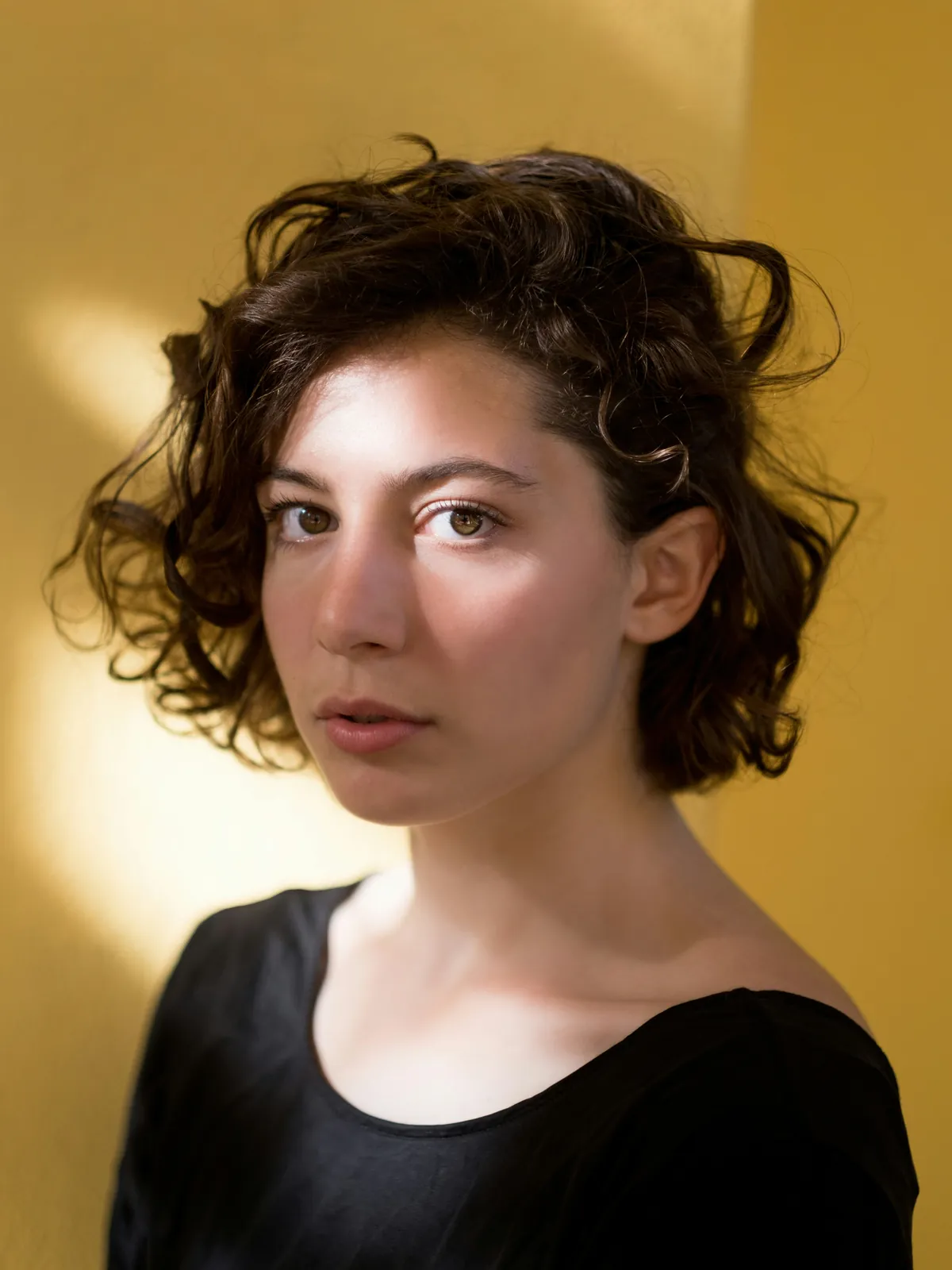
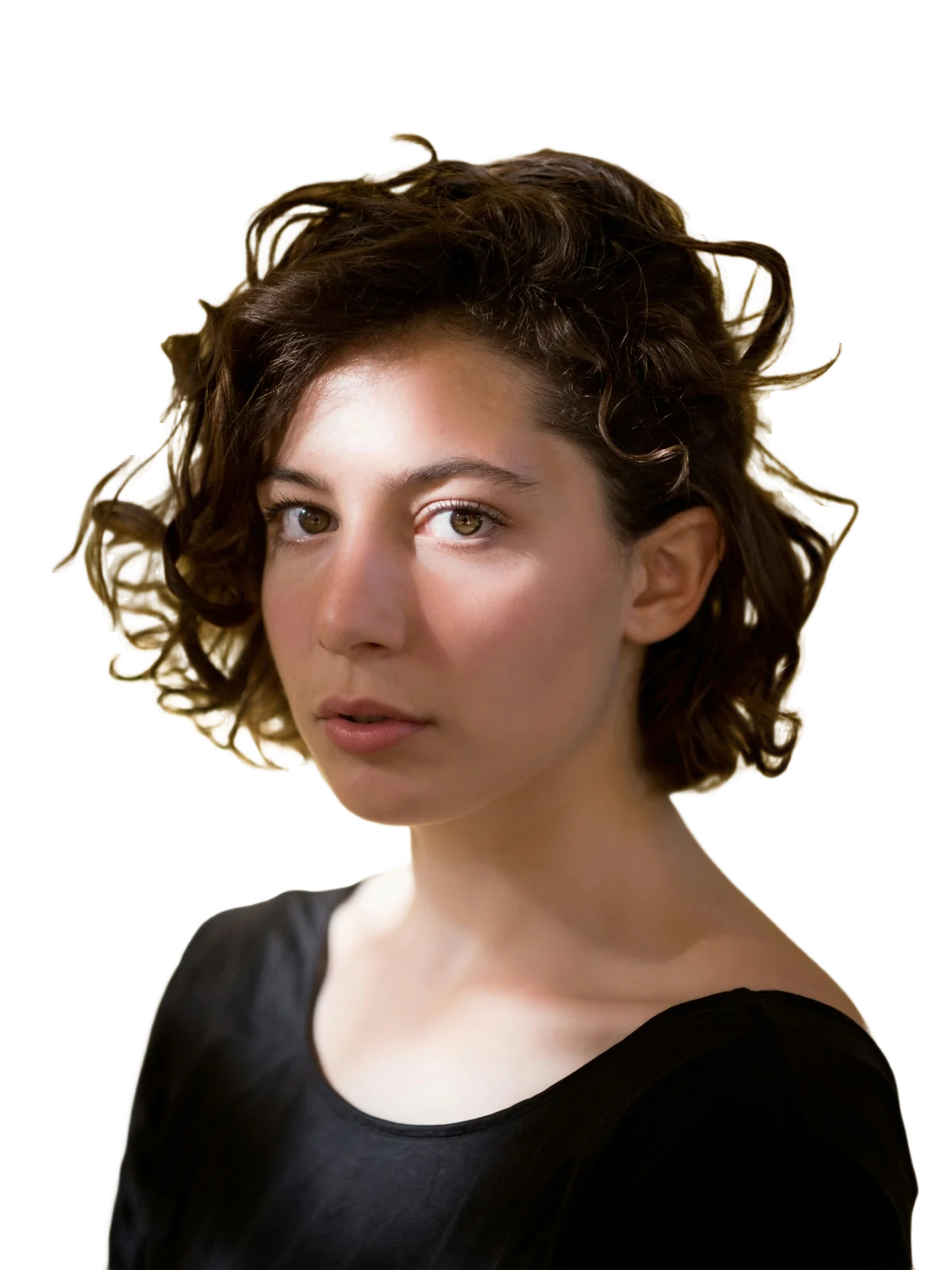
Photo by Filipp Romanovski on Unsplash (Unsplash License); cut out by LassoCut through the API with the default settings. Drag the slider to compare.
How to use it
- On the site: drop a portrait on the home page for a preview, or run a whole session through the batch tool.
- Photoshop and GIMP: the Photoshop plugin (pending Adobe's review) and the GIMP 3 plug-in add the cut-out as a new layer and only hide your original, so you can refine the hair with a mask.
- Command line:
lassocut --type person --size full --output-directory out/ session/(CLI guide). - API: send
type=person, and checkX-Typein the response:
curl --fail-with-body -H "X-Api-Key: $LASSOCUT_API_KEY" \
     -F "image_file=@portrait.jpg" \
     -F "type=person" \
     -F "size=preview" \
     -o portrait.png \
     https://api.lassocut.com/v1.0/removebg
Run against the production API on 29 September 2026 with the portrait above: HTTP 200, image/png, 433 × 577, X-Type: person, X-Credits-Charged: 0.25. Replace size=preview with size=full for the final file.
Honest limits
- Hair against a background of the same colour (blond hair on a beige wall, dark curls on black) can lose strands or keep a bit of the wall. Very fine flyaways may need a touch-up.
- Colour spill: the edge pixels keep their original colours; they are not recoloured. Hair shot against a strong colour, like the yellow above, can keep a faint tint of it; on a new background of a similar tone it does not show.
- Groups: every person found in the photo is kept. To keep one of them, send
roi(a rectangle,x1 y1 x2 y2): everything outside it is removed, so a neighbour who overlaps the rectangle is cut at its edge. See crop and framing. - Large prints: on very large files, very fine hairs can look slightly softer than the rest of the photo.
- A result that came out wrong can be sent to
POST /improveso the models can learn from it. It is free, open to accounts that have bought credits, up to 10 images a day and 5 MB each.
Privacy: images are processed in memory and a result is kept for up to 10 minutes so that a retry doesn't pay twice, then deleted. Only images you send to /improve are kept. Details in the privacy policy.
Try it on your own photo
Drop an image on the home page to see the cut-out, then create an account for 50 free previews a month (up to 10 a day).
See also: photographers · backgrounds · HD cut-outs · subject types in the API · Python guide · pricing.