White-background product photos for Amazon: the rules and a fast workflow
Amazon asks for product photos on pure white, with the product large in the frame and enough pixels for zoom. Here are the rules in Amazon's own words, with a link and the date we read them, and three ways to produce matching images for a whole catalogue.
What Amazon asks for
Quoted from Amazon's seller guide “6 tips for taking product photos in 2025” (sell.amazon.com, dated 4 December 2024), read on 29 September 2026:
- “In most cases, product shots should be taken against a white background (RGB color values: 255, 255, 255).”
- “Have the product fill 85% or more of the frame.”
- “We prefer images larger than 1,000 pixels on each side to allow for zoom…”
- All images must be 500 to 10,000 pixels on their longest side, in JPEG, TIFF, PNG or non-animated GIF.
For the complete requirements, the same page sends sellers to Seller Central: Amazon product image guide. Rules change, so open both pages before a large upload.
What the rules mean in practice
- White means 255, 255, 255. A backdrop that looks white in a photo is often slightly grey or tinted, especially in the corners and near the product. Replacing the background, rather than brightening it, gives exactly 255 everywhere.
- 85% of the frame is about framing, not only the background. Cropping the image to the product with a small margin gets you close; the check itself is yours.
- More than 1,000 pixels per side rules out thumbnails and previews: work at full size.
- Format: on white, nothing needs transparency, so a JPEG is fine and smaller than a PNG.
A real example
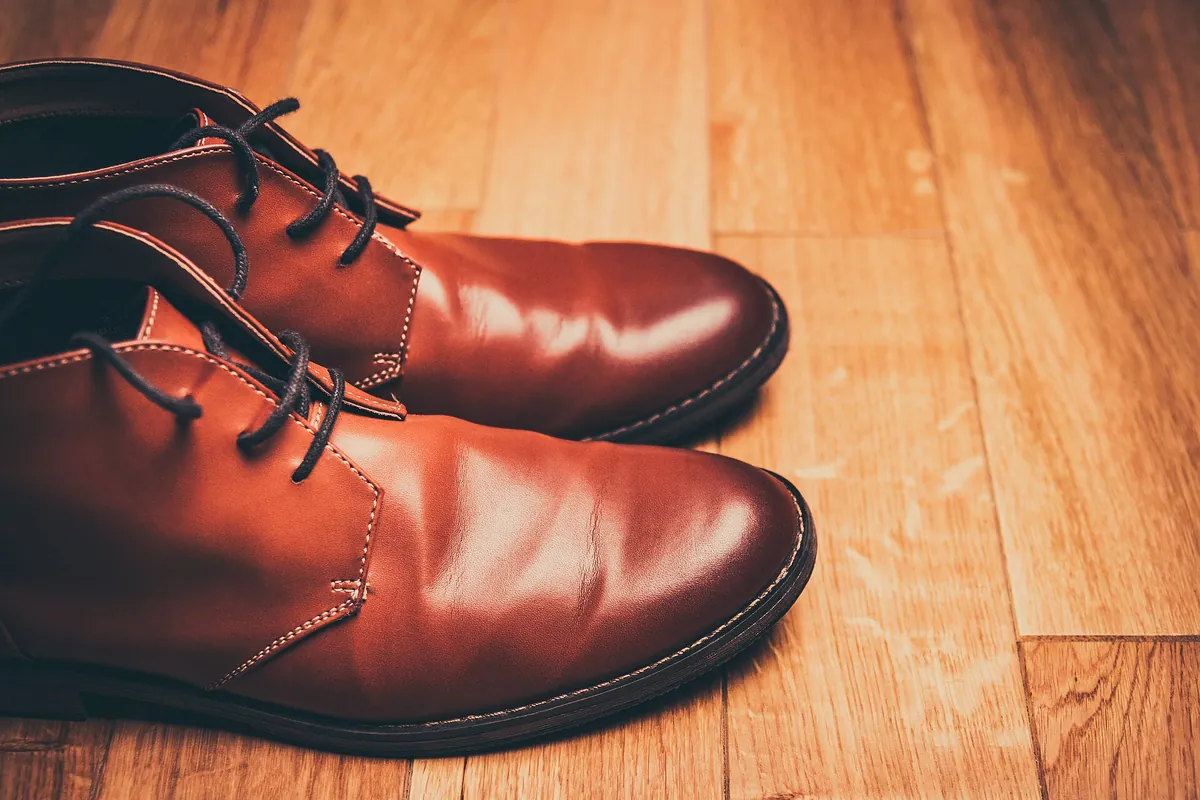
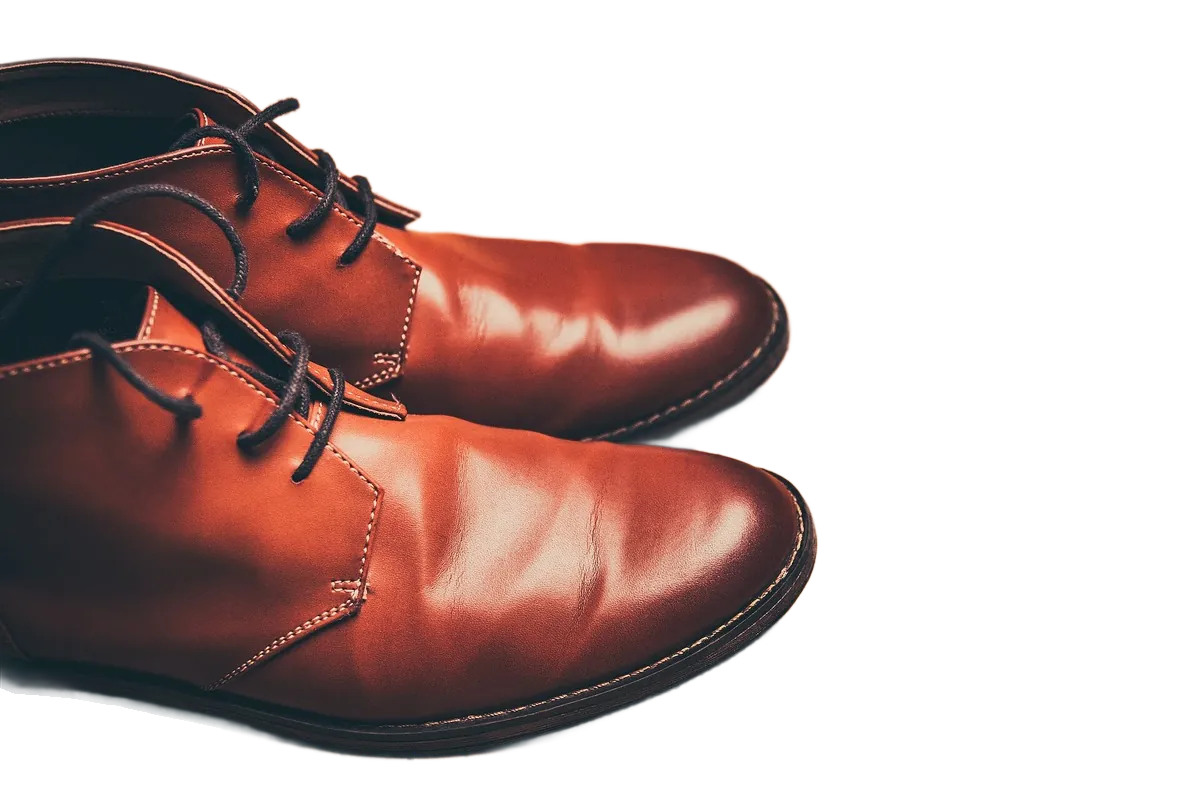
Shown here on a transparent background; for a listing, add a white background. The boots are cut off by the edge of the original photo, which no background tool can fix: for a main image, shoot the whole product. Photo first published on Unsplash under CC0 (public domain), via Wikimedia Commons; cut out by LassoCut through the API. Drag the slider to compare.
A fast workflow, three ways
1. A folder of photos: the batch tool
Open the batch tool in your browser, choose the folder from the shoot, and set Size to full size, Background to White and Format to JPG. Results come back in a ZIP or in a folder you choose, and your originals are not changed. The batch tool does not crop, so check the framing, or crop in your editor afterwards.
2. A WooCommerce store: the WordPress plugin
With the LassoCut plugin for WordPress, enter ffffff as the background colour, select products in the Products list and run Remove background from main image. The cut-out becomes the product image; the original stays in the Media Library.
3. Your own pipeline: the API
The request from the curl guide, run against the production API on 27 September 2026, where it returned a valid PNG:
curl -H "X-Api-Key: $LASSOCUT_API_KEY" \
     -F "image_file=@photo.jpg" \
     -F "size=preview" \
     -o no-bg.png \
     https://api.lassocut.com/v1.0/removebg
For an Amazon image, change size and add four fields, all documented in the API reference:
| Field | Value | Why |
|---|---|---|
size | full | Keeps the original resolution, up to 25 MP, for zoom. |
bg_color | ffffff | Fills the background with RGB 255, 255, 255. |
crop | true | Crops the result to the product. |
crop_margin | 4% | Keeps a small margin, so the product fills most of the frame. |
format | jpg | No transparency needed on white; JPEG is on Amazon's list. |
Save the file as .jpg when you ask for format=jpg. If you work with an AI assistant, the MCP connector can apply the same settings when you ask for “full size, on white, cropped to the product”.
Before you upload
- Open a few results at 100% and look at the edges, especially on fine parts such as laces, straps or fringes.
- Check that the product fills about 85% of the frame. LassoCut crops to the product, but it does not measure that ratio.
- Check the pixel size: more than 1,000 pixels on each side.
- Check what the photo shows: props, packaging and text in the picture are your call, and Amazon reviews listings under its own rules. LassoCut never adds text, borders or watermarks.
What it costs
A full-size image costs 1 credit. Packs are $9 for 100 credits, $39 for 1,000, $249 for 10,000 and $1,500 for 100,000, with no subscription, and purchased credits do not expire. Every account also gets 50 free previews a month (up to 10 a day), enough to test the look on your own products before you buy. Details on the pricing page.
Selling on eBay as well? The marketplaces page quotes eBay's picture policy next to Amazon's, with the settings that fit both.
Try it on one of your products
Drop a product photo on the home page to see the cut-out, then create an account for 50 free previews a month and run a folder through the batch tool.